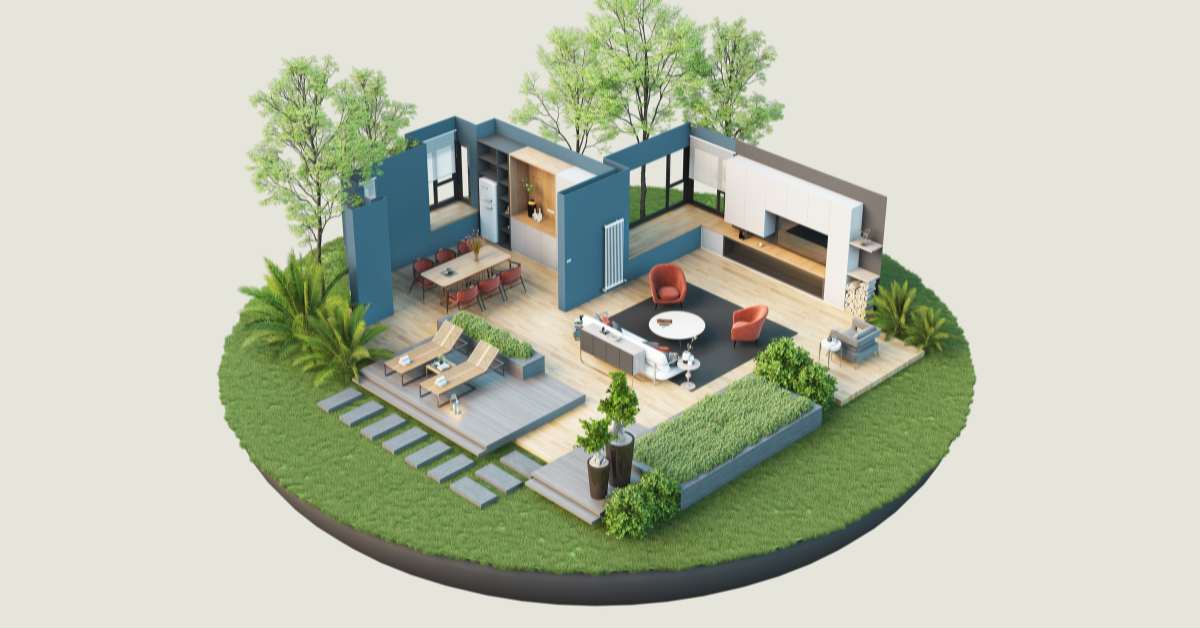

How 3D Free Textures Improve Realism and Efficiency in Architectural Visualization
3d free textures play a critical role in modern architectural visualization, interior design, and 3D modeling workflows. While geometry defines the structure of a model, textures bring surfaces to life. Without realistic materials, even the most detailed 3D model can appear flat and artificial. Designers rely on high-quality texture maps to simulate wood grains, concrete finishes, fabrics, metals, glass, and natural surfaces with convincing depth and realism.
In professional projects, 3d free textures allow designers to enhance render quality without increasing modeling complexity. Instead of modeling microscopic surface details, texture maps add visual richness efficiently. This approach reduces workload while maintaining high visual standards for client presentations and marketing materials.
The Importance of Textures in 3D Rendering Workflows
Textures define how light interacts with surfaces. In architectural visualization, proper material application determines whether a project looks realistic or artificial. High-quality 3d free textures ensure accurate reflections, shadows, roughness, and surface irregularities.
For example, a wooden floor requires more than a simple color fill. It needs grain patterns, bump mapping, and subtle variations to mimic natural material properties. Similarly, concrete walls benefit from texture maps that simulate surface imperfections and tonal shifts. These details create depth and authenticity in rendered scenes.
By integrating well-prepared textures, designers reduce reliance on post-production editing and achieve stronger realism directly from rendering engines.
Types of 3D Free Textures Used in Design Projects
Different categories of textures serve specific modeling needs. Understanding these categories helps designers choose the right resources for each project.
Wood and Flooring Textures
Wood textures are widely used in residential and commercial interiors. They include hardwood planks, parquet patterns, plywood surfaces, and weathered timber finishes. High-resolution maps ensure detailed grain visibility even in close-up renders.
Concrete and Stone Textures
Concrete, marble, granite, and natural stone textures are essential for architectural exteriors and structural elements. Properly mapped stone textures add authenticity to facades, pavements, and interior accent walls.
Fabric and Upholstery Textures
Sofas, curtains, carpets, and upholstered furniture require fabric textures with accurate weave patterns and subtle shading. Realistic textile maps enhance comfort perception and interior mood.
Metal and Industrial Surfaces
Brushed steel, aluminum, copper, and industrial finishes contribute to modern design aesthetics. Metal textures often include reflection and roughness maps to create convincing surface interaction with lighting.
Outdoor and Landscape Textures
Grass, soil, sand, asphalt, and brick paving textures bring exterior scenes to life. These materials provide environmental context in urban and landscape visualization.
Key Characteristics of High-Quality 3D Free Textures
Not all texture files meet professional standards. Designers must evaluate resources carefully before applying them to active projects.
High resolution is essential for maintaining clarity in large-scale renders. Low-resolution images may appear blurred or pixelated under close camera views.
Seamless tiling ensures that textures repeat naturally without visible borders. Seamless 3d free textures prevent distracting pattern lines in expansive surfaces.
PBR compatibility is increasingly important. Physically Based Rendering workflows rely on multiple maps such as albedo, normal, roughness, and displacement. Textures optimized for PBR provide more realistic material behavior.
Color accuracy and balanced contrast improve lighting interaction, ensuring that materials respond correctly under various rendering conditions.
Benefits of Using 3D Free Textures in Professional Projects
Incorporating 3d free textures into design workflows provides significant advantages.
First, it enhances realism without increasing polygon counts. Instead of modeling surface imperfections, textures simulate detail efficiently.
Second, it improves workflow speed. Designers can apply ready-made material maps instantly, reducing time spent on manual material creation.
Third, it supports budget-friendly production. Free resources allow studios and freelancers to maintain professional standards without investing heavily in premium material libraries.
Fourth, it encourages creative experimentation. Designers can test multiple material options quickly to determine the best aesthetic direction.
Where to Access Reliable 3D Free Textures
Choosing reliable platforms ensures texture quality and compatibility with 3D software. Organized collections of 3d free textures provide categorized materials suitable for architectural and interior visualization projects.
Curated libraries typically include seamless maps, high-resolution images, and PBR-ready files. Accessing structured resources saves time and reduces the risk of downloading poorly optimized materials.
Professional designers often build personal libraries from trusted sources, ensuring consistent material standards across multiple projects.
Best Practices for Applying 3D Free Textures
Proper texture application is as important as selecting high-quality files.
Maintain Correct Scale
Textures must match real-world scale. Wood planks or brick patterns that are too large or too small can disrupt realism. Always adjust UV mapping to maintain proportional accuracy.
Use Multiple Texture Maps
When available, apply albedo, normal, roughness, and displacement maps together. Combining these layers improves surface depth and lighting response.
Optimize File Size
High-resolution 3d free textures enhance detail, but excessive file sizes can slow rendering performance. Balance resolution with project requirements.
Test Under Different Lighting Conditions
Evaluate materials in both daylight and artificial lighting setups. Some textures may appear different under varying illumination, affecting final render outcomes.
Common Mistakes to Avoid with 3D Textures
Improper texture usage can reduce overall project quality.
Stretching textures without proper UV mapping creates distortion. Ensure correct alignment before final rendering.
Overusing highly detailed textures in large scenes may cause visual clutter. Maintain balance between simplicity and realism.
Ignoring color consistency across materials can disrupt harmony within interior or exterior compositions.
Using low-resolution files in high-quality presentations can damage professional credibility.
Enhancing Rendering Engines with Quality Textures
Modern rendering engines rely heavily on texture accuracy. Properly structured 3d free textures improve light absorption, reflection, and shadow detail.
Normal maps simulate small surface irregularities, while roughness maps control shine and gloss levels. Displacement maps add depth for close-up shots, enhancing tactile realism.
When textures are optimized and correctly mapped, rendering engines produce more convincing visualizations with minimal post-processing adjustments.
Building a Sustainable Texture Library
Long-term efficiency depends on organized asset management. Designers should categorize downloaded 3d free textures by material type, resolution, and project relevance.
Maintaining a curated library from reliable sources such as 3d free textures ensures consistent quality standards. Organized folders simplify retrieval and reduce repetitive searches.
Regularly updating texture collections helps designers stay aligned with modern material trends and evolving architectural styles.
The Future of 3D Texturing in Design
As visualization technology advances, demand for realistic materials continues to increase. Physically based rendering workflows, real-time visualization tools, and immersive virtual environments rely on accurate texture data.
High-quality 3d free textures will remain essential for achieving photorealistic outcomes in architectural presentations, product visualization, and digital environments. Designers who invest time in selecting and organizing reliable texture resources strengthen both efficiency and creative potential.
By integrating optimized, seamless, and PBR-compatible 3d free textures into daily workflows, professionals can elevate visual realism, streamline production, and deliver compelling 3D presentations that meet modern industry standards.